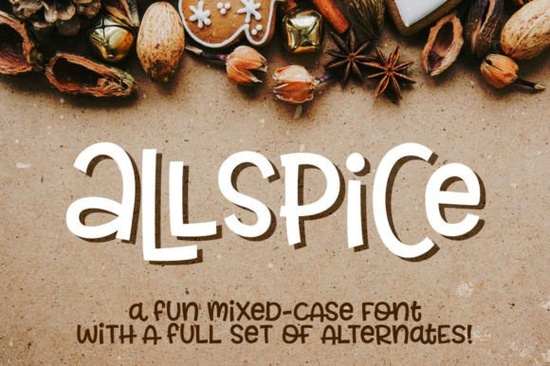
If you’re looking for a playful, flexible typeface that doesn’t ask you to jump through hoops just to access special characters, Allspice Font might be exactly what your next project needs. It’s designed with crafters, small business owners, and print-on-demand sellers in mind people who want creative control without wrestling with complicated font software or missing glyphs.
What makes Allspice stand out is its mixed-case style uppercase and lowercase letters sit at the same height, giving you freedom to mix them within a single word without throwing off your layout. That means you can create quirky logos, eye-catching product labels, or fun social media graphics without having to manually adjust letter spacing or alignment. And if you ever feel like switching things up, there’s a whole second font file packed with alternates for every character yes, even numbers, punctuation, and accented letters.
How does Allspice handle special characters and language support?
No need to open Character Map or Font Book to hunt down those extra glyphs. Everything’s built right into the two font files: one standard version and one with alternates. Each includes over 200 accented characters, so whether you’re designing for French, Spanish, German, or other Latin-based languages, you’re covered. This is especially helpful if you’re creating multilingual packaging, Etsy listings, or greeting cards for international customers.
The included PDF guide walks you through which characters appear in which file, so you’re never guessing. Even if your design software doesn’t fully support OpenType features (looking at you, older versions of Canva or Silhouette Studio), you’ll still have full access to every glyph by simply switching between the two installed fonts.
Who is this font best suited for?
Allspice works beautifully for anyone who wants personality without complexity:
- Print-on-demand sellers use it on mugs, t-shirts, tote bags, or stickers where a casual, handcrafted vibe fits the brand.
- Small business owners great for boutique signage, menu boards, or Instagram story templates that need to feel friendly and approachable.
- Crafters and hobbyists perfect for scrapbooking, card making, or vinyl cutting projects where you want variety without hassle.
- Teachers and educators ideal for classroom posters, flashcards, or activity sheets that need to grab attention without being overwhelming.
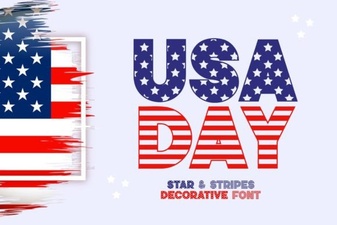
If you’ve enjoyed fonts like Fries and Shake or USA Day for their casual charm, you’ll likely find Allspice just as easy to work with maybe even more so, thanks to its straightforward structure and dual-file setup.
What file formats are included, and will they work with my software?
You get both OTF and TTF versions for each of the two fonts Allspice and Allspice-Alternates. That means compatibility across virtually all design platforms: Adobe Illustrator, Photoshop, InDesign, Procreate, Cricut Design Space, Silhouette Studio, Canva, Affinity, and even basic word processors. No plugins, no extensions, no font managers required.
The simplicity here is intentional. You install the fonts like any other, then toggle between “Allspice” and “Allspice-Alternates” in your font menu to access different letterforms. Want an alternate “g” or a swirly “Q”? Just switch fonts and type the same letter no digging through glyph panels or activating stylistic sets.
How does it compare to other display fonts on Creative Fabrica?
Fonts like Cytone offer a sleeker, tech-inspired look, while Fonts Bundle Vol. 1 gives you a broad range of styles in one download. Allspice sits in its own lane not minimalist, not grungy, not ultra-modern. It’s got bounce, warmth, and enough quirk to feel handmade without looking sloppy. Think of it as the typographic equivalent of sprinkles on a cupcake: not essential, but it sure makes things more fun.
Because everything is coded plainly no ligatures hiding behind OpenType switches you can trust that what you see in the font menu is exactly what you’ll get on screen or in print. That reliability matters when you’re on a deadline or working with clients who need consistency across platforms.
Quick checklist before you start using Allspice:
- Install both Allspice and Allspice-Alternates (OTF or TTF, whichever your system prefers).
- Keep the PDF guide handy until you’re familiar with which alternates live in which file.
- Test your favorite letter combinations in both fonts to see how they pair sometimes mixing them mid-word creates the best effect.
- Remember: accented characters and punctuation also have alternates, so don’t skip those if you’re going for full customization.
Start simple. Pick one project maybe a sticker design or a printable quote and try building it entirely with Allspice. See how the alternates change the mood. Then branch out. The more you play with it, the more you’ll notice how much flexibility you actually have in just two font files.
Get Started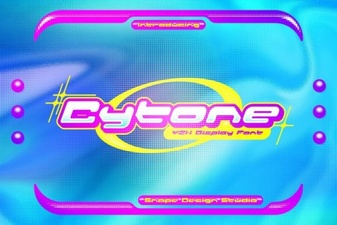 Cytone Font: a Modern Typeface for Creative Projects
 Cranbarries Font for Creative Design Projects
 Get Patriotic with Free Usa Day Fonts
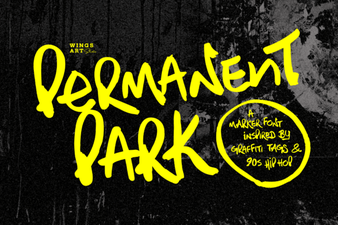 Permanent Park Font: a Fresh Design Resource
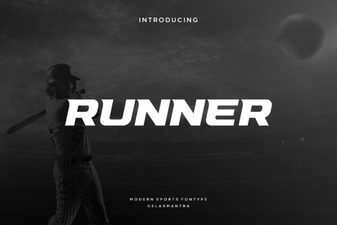 Runner Font for Modern Website Design Projects
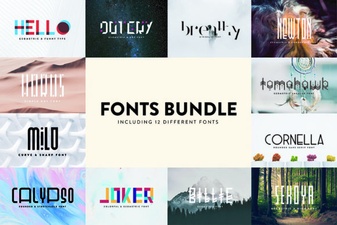 Enhance Your Projects with Fonts Bundle Vol 1