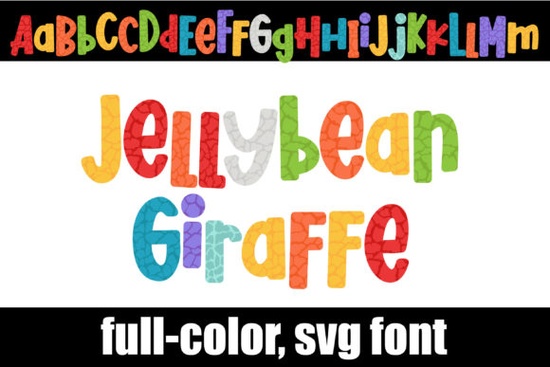
If you’ve been scrolling through Creative Fabrica looking for something fun and unexpected to spice up your next design project, you might want to check out the Jellybean Giraffe Font. It’s a full-color SVG font that brings a playful giraffe print pattern to life using a mix of jellybean-bright colors. Whether you’re designing kids’ party invites, custom t-shirts, or printable wall art, this font adds instant charm without needing extra graphics or layers.
What makes it especially handy is that it works like any other OpenType font just install it through FontBook on Mac or your system’s Control Panel (or font manager) on Windows. Once installed, you can type directly in compatible programs and watch the letters pop with color. Keep in mind: if you’re previewing the font in a dropdown menu, it might still look black until you actually start typing on your canvas.
Which programs actually show the colors?
Not every app supports full-color SVG fonts yet, but the big ones do. You’ll see the rainbow giraffe magic in:
- Adobe Illustrator, Photoshop, and InDesign
- Silhouette Studio (Business Edition)
- Inkscape (newer versions)
- QuarkXPress
If you’re using Cricut Design Space, though, skip this one the OTF and TTF files included won’t work there. That’s a common limitation with color fonts and some cutting machines, so always double-check compatibility before downloading.
How do I access the alternate characters?
Beyond the main set, there’s a second uppercase and lowercase style tucked inside the font file. You won’t see these automatically you’ll need to open your system’s character map (Character Viewer on Mac, Character Map app on Windows) to find and copy them over. These alternates are great for mixing things up mid-word or adding visual rhythm to headlines.
Designers who love texture and pattern will appreciate how each letter feels like its own little illustration. The giraffe spots aren’t just slapped on they’re integrated into the letterforms, so spacing and alignment stay clean even when you’re working at small sizes.
Who is this font really for?
This isn’t a corporate serif or minimalist sans. The Jellybean Giraffe Font is built for creators who want personality without complexity. Think:
- Print-on-demand sellers making kids’ apparel, nursery decor, or birthday merch
- Crafters personalizing tote bags, mugs, or stickers with a cheerful twist
- Small business owners running boutiques, bakeries, or toy shops who need eye-catching signage
- Teachers and parents creating classroom materials or party printables
It’s also surprisingly versatile. Pair it with a clean, neutral sans-serif for contrast, and suddenly you’ve got balance whimsy with structure. Use it solo for logos, social media quotes, or packaging labels where you want to stand out without screaming.
Any tips for getting the most out of it?
A few practical notes from real-world use:
- Scale wisely. Because it’s detailed, avoid going too small under 24pt can get muddy depending on your output.
- Check your export settings. When saving as PNG or PDF, make sure “Preserve Editing Capabilities” or “Embed All Fonts” is selected so the colors don’t flatten unexpectedly.
- Layer with care. Since it’s already busy with color and pattern, keep backgrounds simple. White, soft pastels, or solid kraft paper tones let the font shine.
You can browse more options like this in the colorful fonts section if you’re building a toolkit of expressive typefaces. Sometimes having just one or two standout fonts like this can refresh your entire creative library.
What if my software doesn’t support color fonts?
No worries. Even if your current app shows the font in black, you can still use it just treat it like a textured outline. Then, manually recolor sections using your software’s fill tools. It takes a few extra steps, but the result can be worth it. Or, consider upgrading to a version of your software that does support SVG fonts many updates now include this feature.
For deeper technical reading on how color fonts work across platforms, Jellybean Giraffe Font users might find it helpful to bookmark Adobe’s guide on OpenType SVG compatibility it’s kept updated and explains why certain apps behave differently.
Quick checklist before you start:
- ✅ Confirm your design software supports SVG color fonts
- ✅ Install via system font manager (not drag-and-drop into app folders)
- ✅ Use Character Map/Viewer to access alternate glyphs
- ✅ Avoid tiny sizes test readability at your intended output size
- ✅ Export with embedded fonts or rasterize carefully to preserve colors
Start simple: try setting a single word in Jellybean Giraffe, then build around it. Sometimes the best designs come from letting one bold element lead the way.
Download Now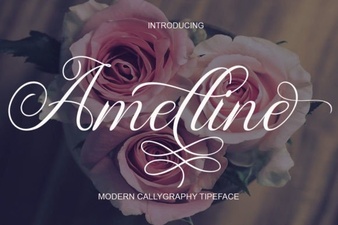 Amelline Font: Elegance for Creative Projects
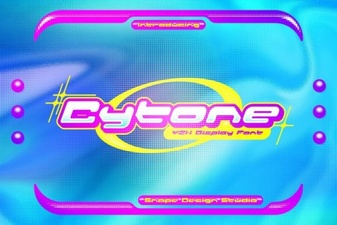 Cytone Font: a Modern Typeface for Creative Projects
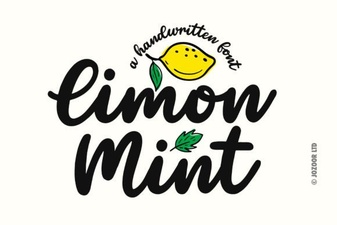 Design with Limon Mint Font: Style & Functionality
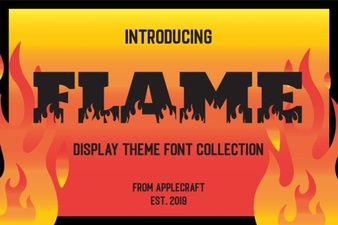 Design Creative Projects with Flame Font Styles
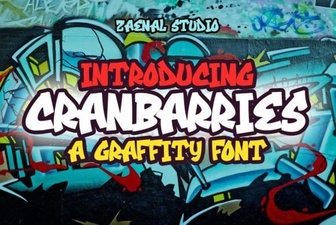 Cranbarries Font for Creative Design Projects
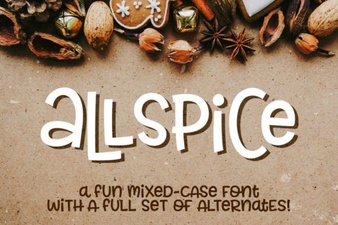 Allspice Font: Modern Design and Creative Uses