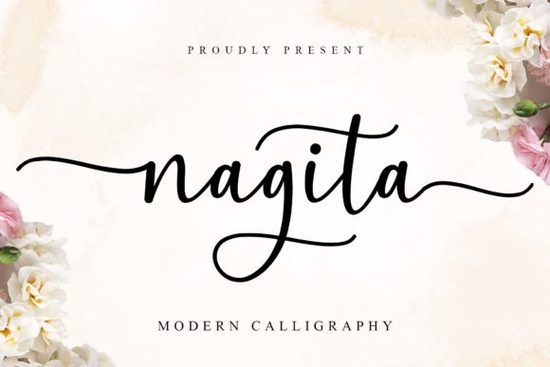
If you’ve been searching for a script font that feels personal, elegant, and just a little bit whimsical, Nagita Font might be exactly what your next project needs. It’s the kind of typeface that adds charm without being overwhelming perfect for wedding invites, boutique branding, or even farmhouse-style decor. What makes it especially handy is how easy it is to use: every swash, alternate, and ligature is accessible right from your keyboard thanks to PUA encoding. No digging through glyph panels or installing extra files.
What kinds of projects work best with Nagita?
This font shines in situations where you want something soft, romantic, and slightly handcrafted. Think:
- Wedding stationery invitations, menus, place cards
- Small business logos especially boutiques, bakeries, florists
- Farmhouse signs or wall art those rustic wood signs everyone loves
- Fashion packaging or labels for handmade soaps, candles, or apparel
- Website headers or social media graphics when you need personality without clutter
It’s also surprisingly versatile for silhouette designs layer it behind photos or cut it out of vinyl for layered craft projects. If you’re using Cricut or Silhouette machines, you’ll appreciate how cleanly the swashes convert.
How does Nagita compare to other script fonts?
Not all script fonts are created equal. Some feel stiff, others are too ornate to read at small sizes. Nagita strikes a nice balance decorative enough to stand out, but still legible and friendly. If you’ve used Dountyland before, you’ll notice Nagita has more delicate endings and a slightly more formal flow. For something bolder and chunkier, Pinky might be your go-to, while Moretimes leans into vintage vibes. And if you love playful, bouncy scripts, check out Jelly Cat it’s got that fun, casual energy Nagita doesn’t aim for.
You can explore Nagita alongside these others directly on Creative Fabrica to see which style fits your current mood or client brief.
Do I need special software to use all the features?
Nope. That’s one of the best parts. Because Nagita is PUA-encoded (Unicode Private Use Area), you don’t need Illustrator or special plugins to access its alternates and swashes. Programs like Canva, Affinity Designer, Silhouette Studio, and even newer versions of Word or Pages will let you toggle between character variations easily. Just make sure you’re using OpenType-compatible software most modern design tools are.
If you’re new to working with script fonts that have lots of alternates, here’s a quick tip: start by typing your text normally, then go back and manually replace certain letters (like the first or last in a word) with their swash versions. It creates instant elegance without looking overdone.
Is this font good for commercial use?
Yes. Like most fonts on Creative Fabrica, Nagita comes with a commercial license. That means you can use it on products you sell whether that’s printable wedding templates on Etsy, custom mugs for local clients, or branded merchandise for your shop. Always double-check the license details after purchase, but generally, you’re covered for print-on-demand, sublimation, embroidery digitizing, and digital downloads.
One thing to note: if you’re planning to embed the font in an app or redistribute it as part of a downloadable kit (like a Canva template pack), you may need an extended license. But for 95% of crafters and small biz owners, the standard license is plenty.
Any tips for pairing Nagita with other fonts?
Absolutely. Since Nagita is a display font with lots of personality, pair it with something clean and simple. A thin sans-serif like Montserrat Light or a classic serif like Playfair Display works beautifully. Avoid pairing it with another script two fancy fonts together tend to fight for attention.
For color, try soft neutrals (cream, blush, sage) or deep contrasts (charcoal, navy, burgundy). The swashes really pop against solid backgrounds, so don’t be afraid to let them breathe with generous spacing.
Quick checklist before you start:
- ✅ Download and install both OTF and TTF versions (just in case)
- ✅ Test your software’s OpenType support before diving into alternates
- ✅ Use swashes sparingly one per word is usually enough
- ✅ Pair with a minimalist font for balance
- ✅ Save a copy of your license you never know when you’ll need it
Whether you’re designing for yourself or a client, Nagita adds that gentle, heartfelt touch without requiring hours of tweaking. Sometimes, the right font isn’t about being the flashiest it’s about feeling just right.
Explore Design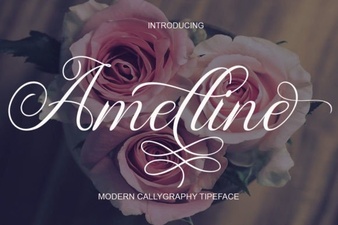 Amelline Font: Elegance for Creative Projects
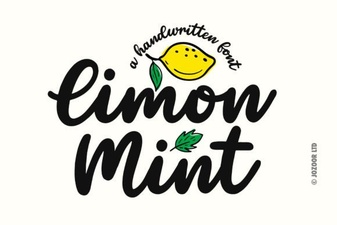 Design with Limon Mint Font: Style & Functionality
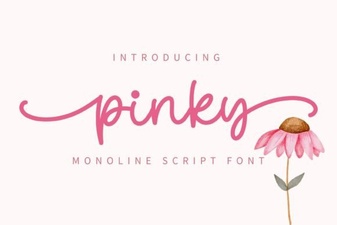 Create Designs with Pinky Font
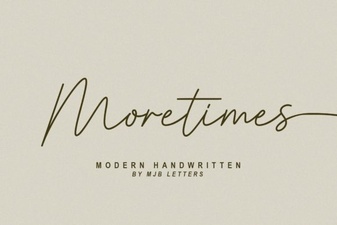 Moretimes Font for Creative Design Projects
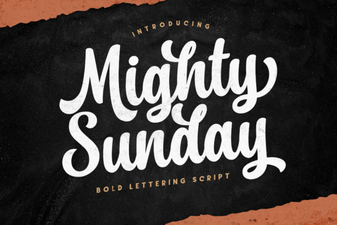 Design Your Sunday with the Mighty Font
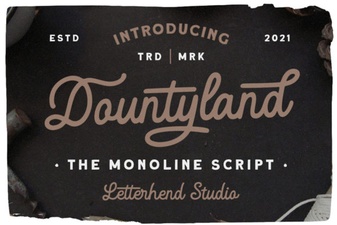 Dountyland Font: Creative Designs & Usage Guide