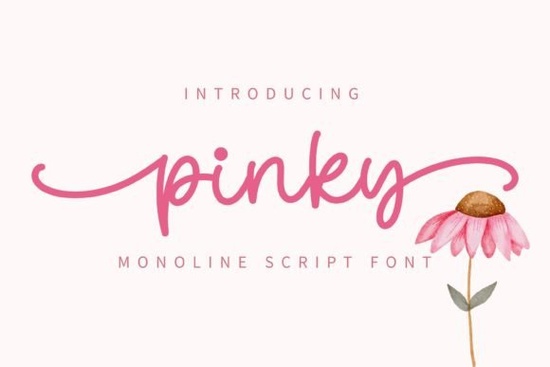
If you’ve been searching for a handwritten font that feels warm, playful, and just a little bit dreamy, Pinky Font might be exactly what your next project needs. It’s the kind of typeface that works as well on a baby shower invite as it does on a boutique logo or Instagram quote graphic. The strokes are soft, the curves are gentle, and there’s enough personality in each letter to make your designs feel handmade without the hassle of actually handwriting everything.
What makes Pinky especially useful is how naturally it adapts to different moods. Pair it with clean sans-serifs for modern contrast, or layer it over floral backgrounds for that cottagecore aesthetic everyone’s loving right now. And because it’s PUA encoded, you won’t need special software or keyboard shortcuts to access all the extra swashes and alternate glyphs. Just open your design app whether it’s Canva, Adobe Illustrator, or Affinity Designer and start playing.
What kinds of projects work best with Pinky Font?
This isn’t a one-trick pony. Here’s where designers and small business owners are getting the most out of it:
- Wedding stationery think save-the-dates, menus, place cards, and thank-you notes. The sweet, slightly bouncy letterforms add charm without looking childish.
- Social media graphics quotes, announcements, or product launches feel more personal when set in something like Pinky instead of a default system font.
- Print-on-demand products mugs, tote bags, and greeting cards with phrases like “you’re my person” or “little moments, big love” look instantly cohesive.
- Branding for small shops bakeries, florists, baby boutiques, or handmade jewelry brands can use it in logos or packaging to signal warmth and approachability.
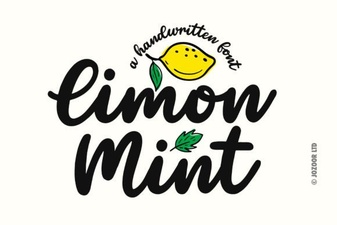
If you like Pinky but want to explore similar styles, check out Amelline for something a touch more elegant, or Limon Mint if you prefer a looser, brush-pen vibe. For bolder statements, Dountyland brings energy, while Jelly Cat leans even softer and rounder. And if you need something with a vintage twist, Mighty Sunday has that nostalgic flair down pat.
How do I install and use all the swashes and alternates?
Since Pinky is PUA (Private Use Area) encoded, you don’t need to hunt through glyph panels or memorize alt codes. Most modern design tools including Photoshop, Illustrator, Procreate, and even some online editors will show you alternate characters right in the font menu or character map. Look for options labeled “stylistic sets,” “contextual alternates,” or “swash variants.” If your software supports OpenType features, enabling them will automatically swap in prettier versions of certain letters when they appear at the start or end of words.
Pro tip: Try typing the same word two or three times and switching up the alternates manually. Sometimes the most beautiful layouts come from mixing different versions of the same letter like using a swashed ‘y’ at the end of one line and a simpler tail on the next.
Is this font suitable for commercial use?
Yes when you download Pinky Font from Creative Fabrica, you get a commercial license by default. That means you can use it on client projects, sell physical or digital products you create with it, and even upload designs to marketplaces like Etsy or Printful. Just make sure you’re not redistributing the font file itself or claiming you designed the typeface. Beyond that, you’re good to go.
For reference, you can always view the full licensing details here: Pinky Font.
What if I’m not sure this style fits my brand?
Fonts are like clothes sometimes you need to try them on to see how they feel. Before committing, ask yourself:
- Does my audience respond better to playful or polished aesthetics?
- Am I pairing this with photos, illustrations, or minimal layouts? Pinky thrives alongside imagery that’s soft, colorful, or whimsical.
- Will this be used at small sizes? While readable in headlines and short phrases, very tiny uses (like fine print or watermarks) might lose some of its charm.
If you’re still unsure, test it out with a free mockup. Type your business name or a sample phrase, export it as a PNG, and drop it into your existing templates. Does it feel like it belongs? Does it enhance the mood you’re going for? Trust your gut and your customers’ reactions.
Next step: Download Pinky Font, open your favorite design tool, and type out three versions of a headline using different alternates. Save them side by side. Which one feels most “you”? That’s the version to build around.
Learn More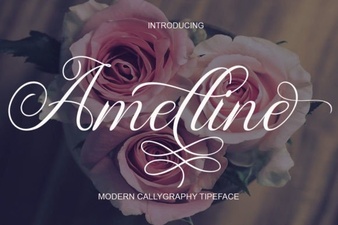 Amelline Font: Elegance for Creative Projects
 Design with Limon Mint Font: Style & Functionality
 Moretimes Font for Creative Design Projects
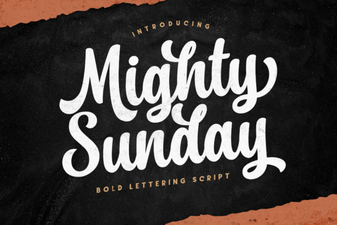 Design Your Sunday with the Mighty Font
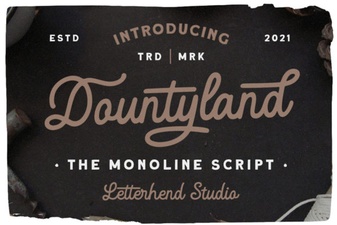 Dountyland Font: Creative Designs & Usage Guide
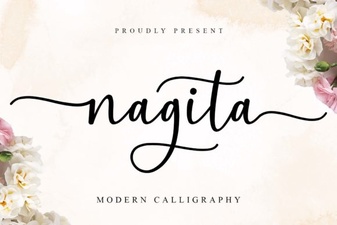 Nagita Font Design: Projects & Creative Ideas